- Published on
KaiR0 – Personal Toolbox
- Authors

- Name
- Emir Mujcevic
- @em____97
Introduction
Every designer eventually hits that moment where the usual tools start feeling too normal. Too predictable. You open the same apps, click the same buttons, and everything feels like copy and paste. At some point I wanted something that felt mine, I wanted a personal toolbox that looked and behaved like something from my own world.
kaiR0is that experiment.
It is not meant to be a single tool but a small system. A tiny operating environment where everything works the way I imagine it.
The First Module: The Radar
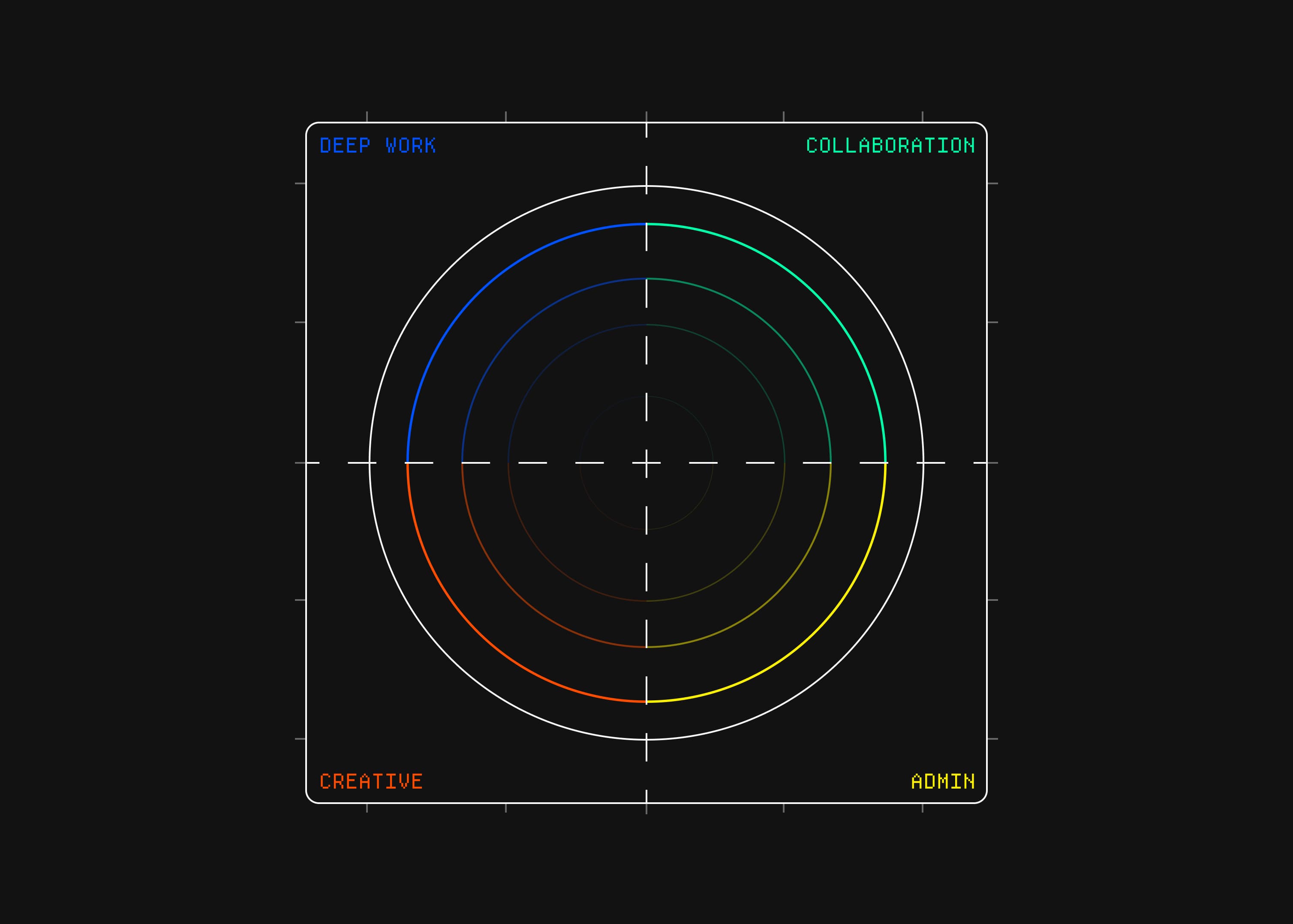
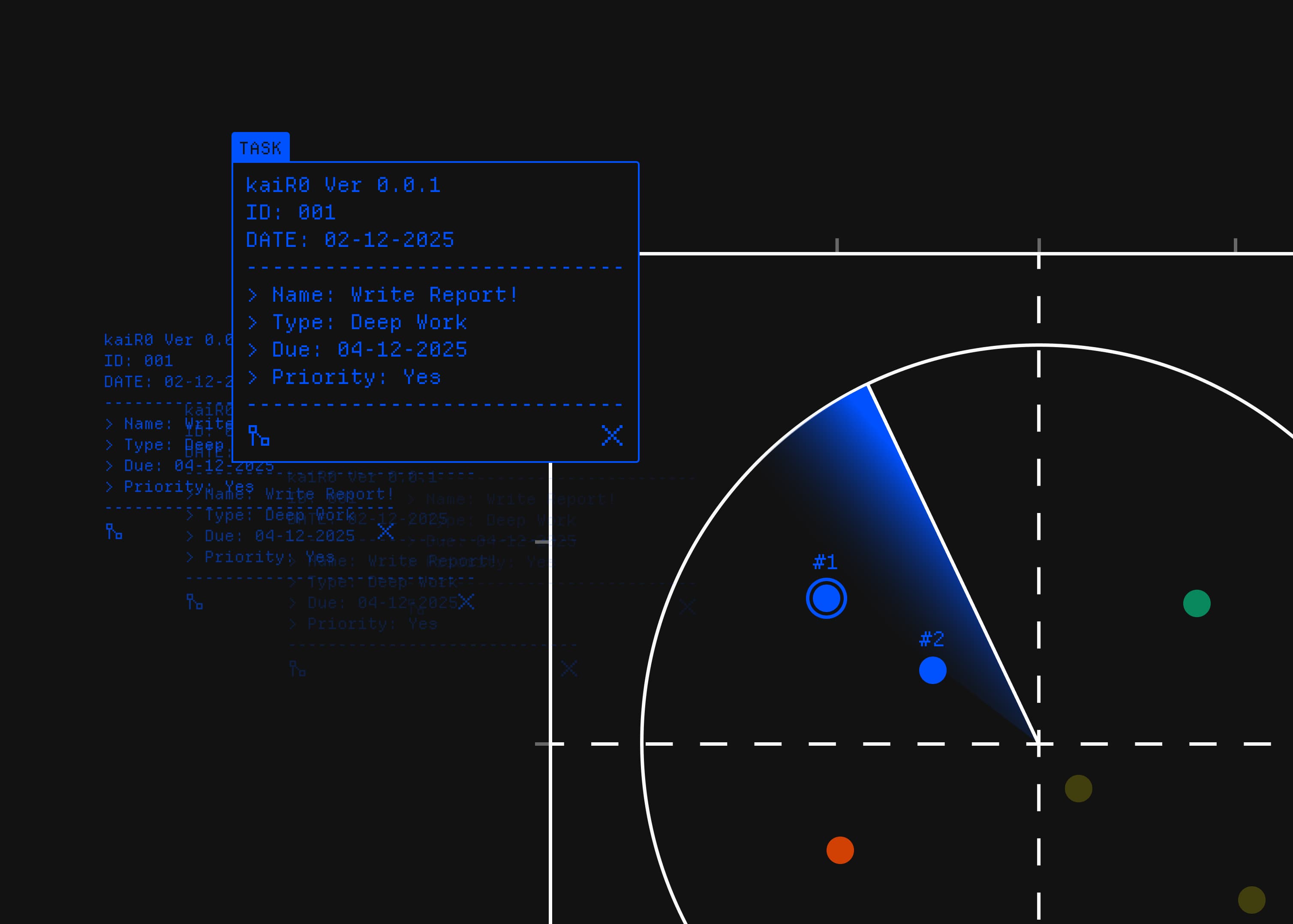
The radar is the first piece of kaiR0. Every task is a node on a circular radar, organized into four mental modes instead of projects or labels.
The quadrants map like this: N = Deep Work, S = Admin, E = Collaboration, W = Creative, turning the radar into a quick compass for how you want to spend attention. A rotating sweep passes over the radar, revealing task IDs and relationships, so the interface always feels slightly alive even when nothing changes.
This model intentionally optimizes for “what should I focus on next?” rather than “where is this task stored?”. Tasks can link to each other as edges on the radar, so dependencies and clusters appear visually helping you see that “Reply to emails” and “Team check-in” live in the same social context, for example. Over time, the radar becomes a picture of your day’s cognitive load instead of a pile of checkboxes.
Nodes and Links
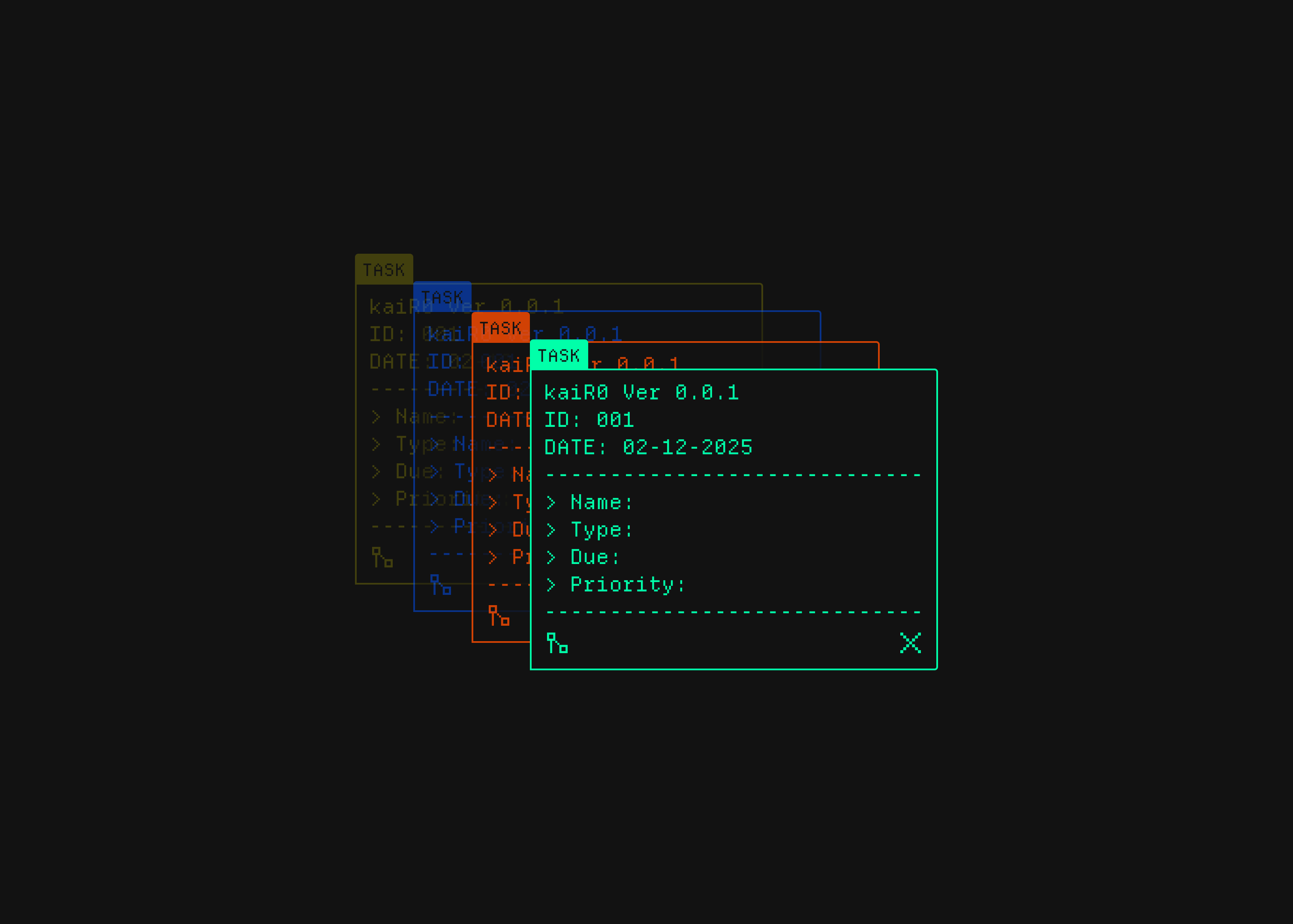
Nodes are individual tasks. Each node sits on the radar in one of the four directions (deep work, admin, collaboration, creative) and can carry extra information like priority, due date, and subtasks. A node is the smallest unit of work the system cares about: “Design Landing Page”, “Write launch copy”, “Team standup”. Visually, each one is a point on the circle; in the terminal, it is a single line with flags.
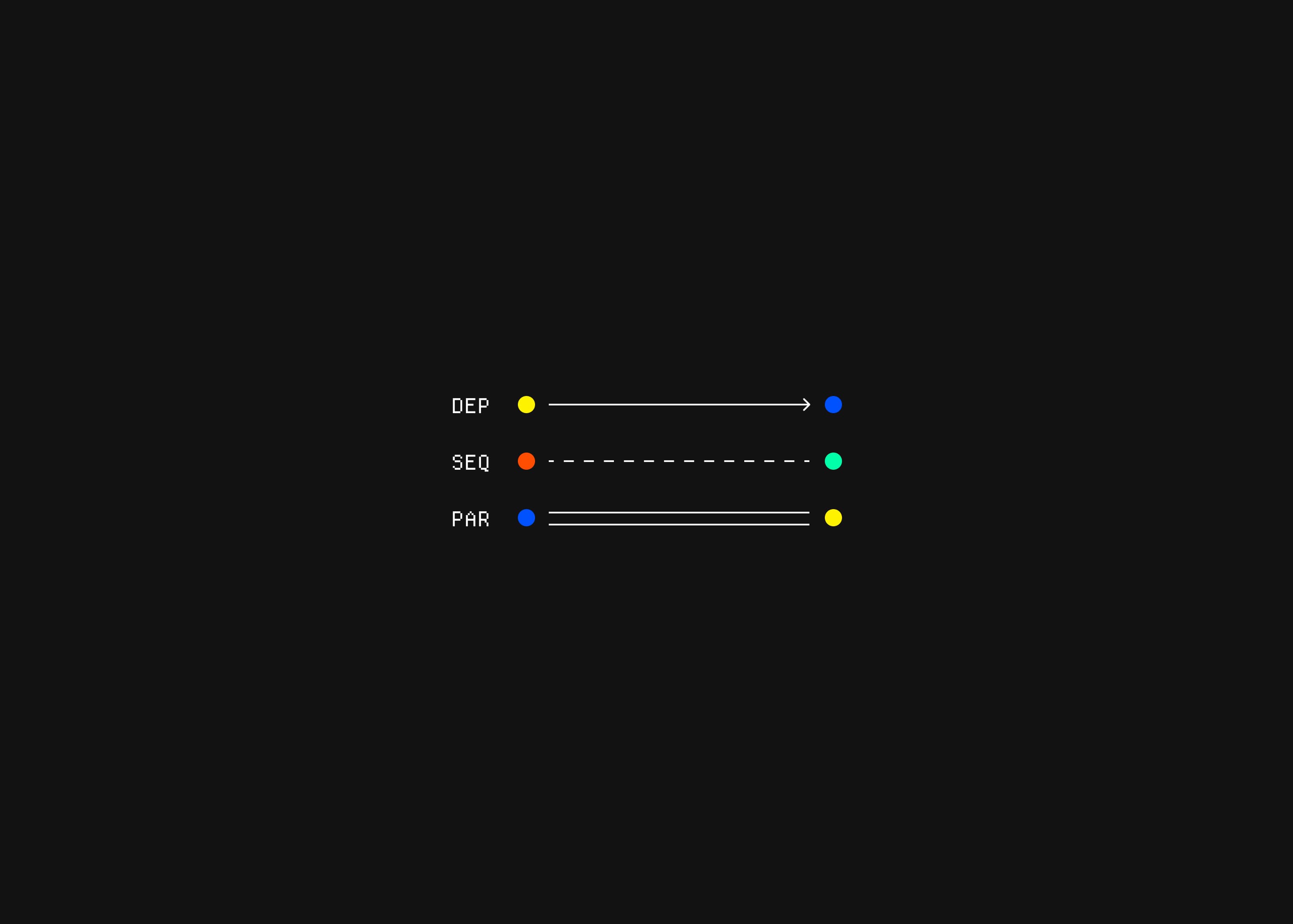
Links connect those nodes. They describe how tasks relate to each other: dependencies that must happen first, sequences that form a flow, or parallel tasks that can be done side by side. On the radar, links become lines between nodes, turning a flat list into a small network. This makes patterns visible: you see clusters around a launch, chains of prep work leading into a meeting, or isolated tasks that are safe to pick up anytime.
The Console
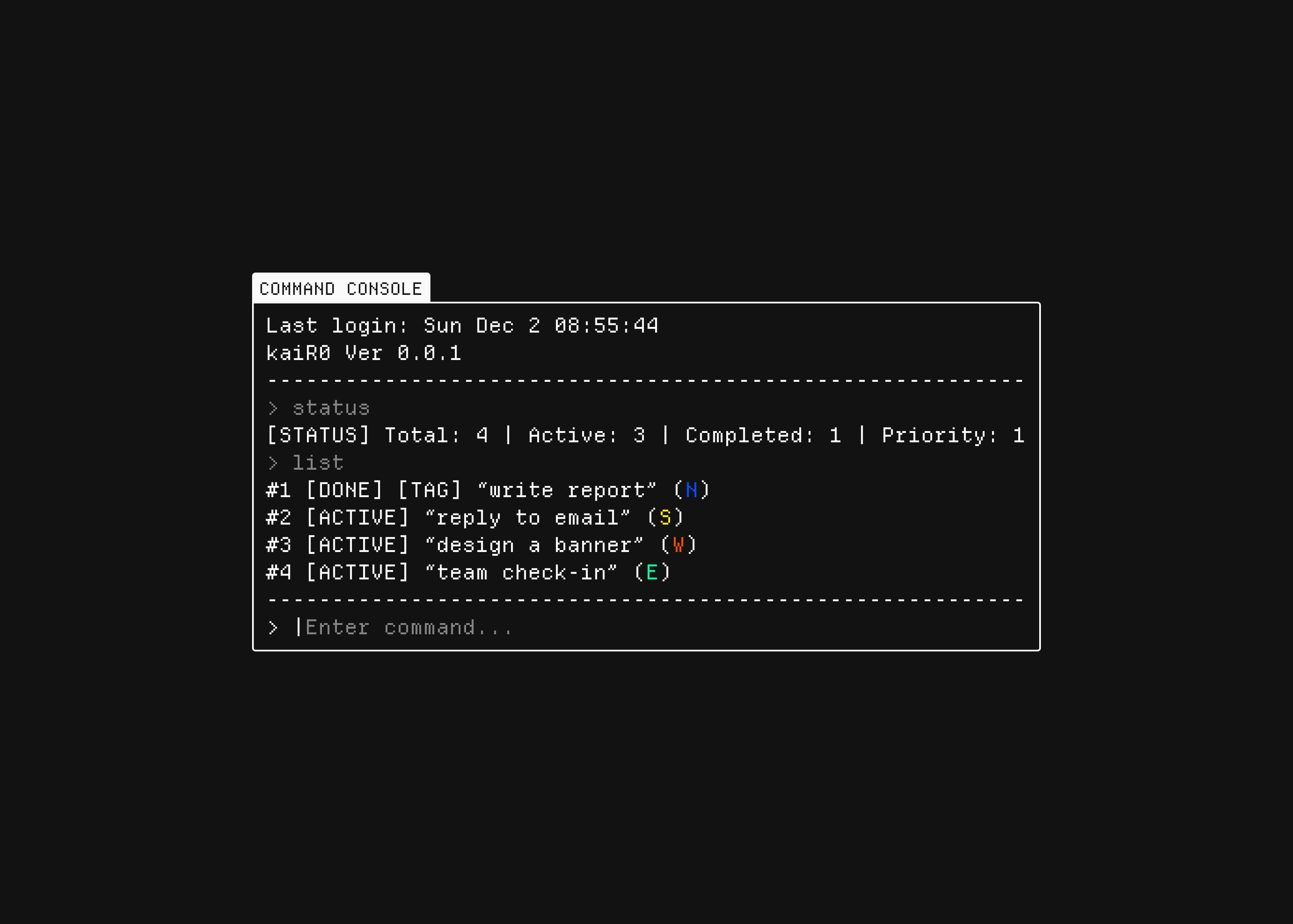
kaiR0 runs through a small console instead of a big UI (for now). You type a few simple commands to do almost everything: show the radar, add a task, link two tasks, focus on one, or mark it done. This makes it fast to use, easy to remember, and light enough to keep open all day.
Why Personal Tools Matter (Now)
We live in an era of tool abundance. Each one is meticulously polished, feature-rich, and designed to scale across a thousand use cases simultaneously. We've been conditioned to believe that more features mean more value, that comprehensive platform coverage equals superior productivity. But somewhere in that relentless accumulation of capabilities, something critical gets lost.
This is the specific context where kaiR0 exists. It's a deliberate bet against the trend of infinite feature expansion. While mainstream productivity tools ask "what could this do for everyone?", optimizing for reach and market capture. Personal tools ask a fundamentally different question: "what does this do for me?".
The first approach maximizes adoption metrics and scaling potential. The second optimizes for resonance, for the precise fit between a tool and its maker's actual needs and mental rhythms.
Digital minimalism, the practice of using technology only when it serves a clear, high-value purpose, is no longer fringe philosophy. It has become a direct response to tool fatigue.
Conclusion
This is my way of reclaiming how software feels, not just how it works. It started as a small, personal experiment, but it grew into a tiny operating world where tasks, focus, and play all live in the same quiet space. The radar, the future pomodoro, the little synthesiser. These are not “features” to ship, they are instruments I tune for myself.
In the end, kaiR0 matters to me because it proves that one person, with a sketch, a design, and some code, can build a private environment that feels like home. No onboarding, no growth hacks, no dashboards shouting for attention. Just a set of tools that behave the way my brain wants them to. That is the whole point of this experiment: to show that software can be small, strange, and deeply personal, and that is enough.
Thank you for reading.
Yours truly,
Emir
Tools I Used
The visual direction for this version came from clean geometry, soft CRT-style lines and a quiet technical mood. I designed everything in Figma first, experimenting with layouts and small details until the interface felt right. After that I moved into Cursor, using the Composer 1 agent to build the structure and refine the interactions. The workflow stayed simple and fast.
Estimated Time Investment: 12 to 18 hours.
Next Steps
Improve the radar module (add clustering, animated scanning, better linking, collapse groups, icons, sound feedback).- Design and build the custom pomodoro, make it feel tactile and ritual-based, not generic.
Prototype the synthesiser module for creative breaks and quick loops.Let each module feel like its own little instrument inside the system.Explore more playful, non-traditional tools that make kaiR0 feel like my personal control room.
Update (2025/12/18)
I’m wrapping up development on kaiR0.
When I started this project, the goal was simple: test a "vibe code" workflow, moving directly from Figma into Cursor to see how much friction really existed between design intent and code.
The project has served its purpose. It lives now on my lab page as a finished experiment.
I’m taking those insights into a new, more ambitious project starting next year.